Website SEO Audits: The Ultimate Guide + Free Tools (2026)
A website SEO audit is the fastest way to discover why a site is not ranking, why traffic has stalled, or which fixes will create the biggest organic growth. This guide explains how to audit your website with a website seo checker, what to review manually, and how to turn findings into a practical roadmap.
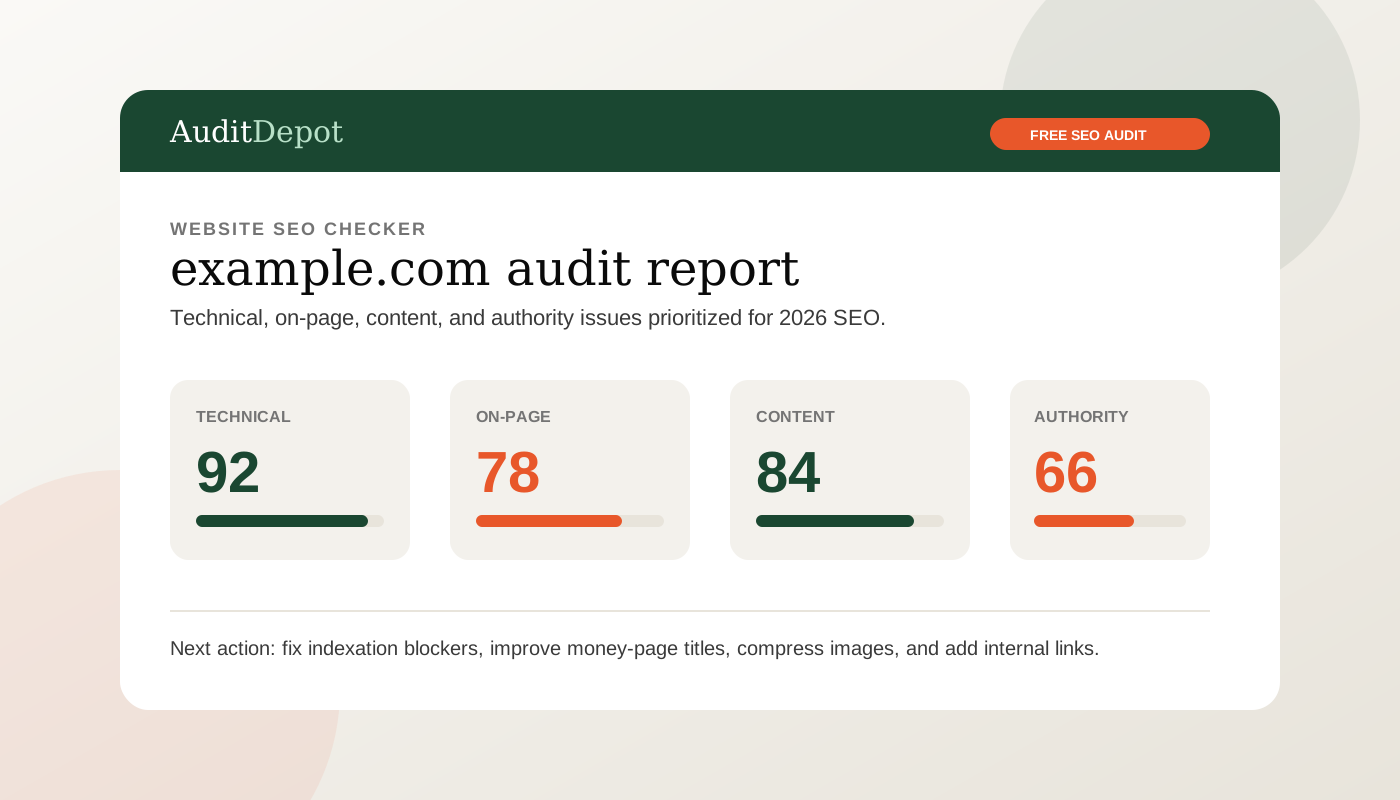
What is an SEO audit?
An SEO audit is a structured review of the factors that help or prevent a website from earning organic traffic. It looks at how search engines crawl, render, index, understand, and rank your pages. A useful audit does not simply list errors; it explains which problems matter, why they matter, and what order to fix them in.
In practice, an audit blends automated checks and expert judgment. A crawler can detect 404 pages, missing title tags, duplicate headings, slow templates, broken canonical tags, and internal links that point to redirected URLs. Search Console can reveal index coverage problems, queries with falling clicks, pages losing impressions, and mobile usability issues. Analytics can show whether organic visitors convert, bounce, or disappear at key points in the funnel.
The goal is not to achieve a perfect score in a tool. The goal is to remove ranking blockers and identify growth opportunities. A five-page local business website needs a different audit than a 50,000-URL ecommerce store. A new SaaS website needs indexing, content positioning, and internal linking. A mature publisher needs crawl budget, content decay, and topical authority analysis. The right audit matches the business model.
Simple definition: an SEO audit answers three questions: can search engines access the site, can they understand the value of each page, and does the site deserve to rank compared with competing results?
Why audit your website?
Search performance changes constantly. Google updates ranking systems, competitors publish better content, developers ship releases, plugins change page speed, and old pages lose relevance. Without periodic audits, SEO problems accumulate quietly until rankings decline or conversion-ready pages stop appearing in search.
A website audit is especially valuable before a redesign, after a migration, when traffic drops, before investing in content, or when a business wants to understand why competitors outrank it. It prevents wasted work. Publishing more articles will not solve a sitewide noindex tag. Building backlinks will not help much if important pages are buried six clicks deep. Rewriting product copy may not matter if category pages are blocked by faceted navigation.
Audits also create alignment. Instead of arguing about vague SEO advice, teams can see concrete issues: pages with missing canonical tags, templates failing Core Web Vitals, thin service pages, unoptimized titles, weak internal links, missing local schema, or content that does not match search intent. That evidence makes it easier to prioritize engineering, content, design, and outreach work.
For agencies and consultants, audits are one of the best client communication tools. A clear report shows the current baseline, explains risks, and turns SEO into a roadmap. AuditDepot was built around this workflow: run a free scan from the homepage, review the findings, and convert the highest-impact issues into a fix plan.
Key areas to check in every SEO audit
A comprehensive audit should cover technical SEO, on-page SEO, off-page signals, and content quality. These areas overlap, but separating them keeps the review organized and makes prioritization easier.
Technical SEO
Technical SEO asks whether search engines can efficiently crawl, render, and index your pages. Check robots.txt, XML sitemaps, status codes, redirects, canonical tags, hreflang, JavaScript rendering, structured data, mobile usability, HTTPS, page speed, and Core Web Vitals.
On-page SEO
On-page SEO reviews how each page communicates relevance. Check title tags, meta descriptions, H1s, heading structure, internal links, image alt text, schema markup, URL structure, and whether the page targets a clear search intent.
Off-page SEO
Off-page SEO evaluates authority and trust signals. Review referring domains, link quality, anchor text, brand mentions, local citations, Google Business Profile consistency, competitor link gaps, and whether your strongest pages attract natural links.
Content SEO
Content audits assess usefulness, uniqueness, freshness, and topical coverage. Look for thin pages, outdated statistics, duplicated sections, cannibalization, missing comparison pages, weak product-led content, and pages that fail to answer the query completely.
If you want deeper tactical checklists, AuditDepot also publishes focused resources such as the technical SEO audit checklist, the on-page SEO checklist, and industry-specific SEO audit guides.
How to use a website SEO checker
A website SEO checker is best used as the first layer of the audit. It gives you a fast inventory of obvious problems and a repeatable baseline. Start with your homepage, then run important templates: service pages, product pages, category pages, blog posts, location pages, and high-traffic landing pages. For larger sites, scan the whole domain and segment results by template type.
Do not treat every warning equally. A missing meta description on an old announcement page is less urgent than a canonical tag pointing your main product page to the wrong URL. A low word count warning may be irrelevant for a login page but serious for a commercial landing page. Good SEO work is about impact, not checklist theater.
Free tools to combine: use AuditDepot’s free website checker for a quick site scan, Google Search Console for real indexing and query data, PageSpeed Insights for performance, Bing Webmaster Tools for another crawl perspective, and your CMS export for page inventory.
- Run the checker on the root domain and save the report date as your baseline.
- Export technical issues and group them by severity, template, and owner.
- Verify important findings manually in a browser and in Search Console.
- Compare the checker’s recommendations against your actual business goals.
- Re-run the audit after fixes so you can confirm improvements and catch regressions.
Free vs paid SEO audit tools
Free SEO tools are more powerful than many teams realize. They can uncover missing titles, broken links, slow pages, robots.txt issues, schema errors, and many common indexation problems. For small businesses, early-stage startups, and one-off checks, free tools are often enough to identify the first wave of improvements.
Paid tools become useful when you need scale, historical data, competitor databases, rank tracking, backlink indexes, automated alerts, scheduled crawling, API access, and team workflows. Enterprise crawlers can process millions of URLs and connect issues to templates, log files, and revenue data. That depth matters for large ecommerce sites, marketplaces, publishers, and agencies managing many clients.
The practical approach is to start free, fix the obvious issues, and upgrade only when the next bottleneck is data scale or workflow. A free website seo checker can tell you that 30 important pages lack internal links. A paid platform can monitor that issue across hundreds of templates and alert you when a new release reintroduces it. Both have a place.
For many teams, the best stack is simple: AuditDepot for quick audits and client-friendly reports, Search Console for first-party performance data, PageSpeed Insights for Core Web Vitals, and one paid suite only when competitor research or backlink analysis becomes a recurring need. If you are comparing options, see our SEO audit tool alternatives and comparison pages.
Step-by-step audit walkthrough
Use this workflow when you need a reliable audit process that works for most websites. It is intentionally practical: gather data, isolate blockers, inspect page quality, prioritize fixes, and verify results.
- Define the audit scope. Decide whether you are auditing the whole domain, one subfolder, a migration, a traffic drop, or a set of money pages. Write down target markets, primary conversions, and known concerns before opening any tools.
- Crawl the website. Use a website SEO checker to scan the domain. Export status codes, titles, meta descriptions, H1s, canonicals, indexability, internal links, image issues, and schema warnings. Separate sitewide template problems from one-off page problems.
- Check indexation. Compare your XML sitemap, crawlable URLs, and indexed URLs. Look for important pages excluded by noindex, canonical conflicts, redirects, soft 404s, duplicate pages, or parameter URLs that should not appear in search.
- Review performance. Test representative templates in PageSpeed Insights. Focus on Core Web Vitals, mobile layout stability, render-blocking resources, image size, third-party scripts, and slow server responses. Performance issues are usually template-level fixes.
- Audit on-page relevance. For key pages, compare the title, H1, headings, copy, internal links, and schema against the actual search intent. Ask whether the page is clearly the best answer for the query it targets.
- Evaluate content quality. Identify thin pages, outdated posts, duplicate articles, overlapping keyword targets, and pages that attract impressions but low clicks. Decide whether to update, consolidate, redirect, or remove weak content.
- Analyze authority. Review backlinks, local citations, brand mentions, and competitor link gaps. Prioritize links to pages that already have strong conversion intent or rank near page one.
- Create a prioritized roadmap. Score every recommendation by impact, confidence, and effort. Fix critical technical blockers first, then high-value on-page improvements, then content expansion, then authority building.
- Implement and verify. After fixes go live, re-crawl the site, inspect important URLs, request indexing where appropriate, and monitor Search Console for changes in impressions, clicks, and coverage.
Common SEO issues found during audits
Most audits uncover a mix of quick wins and deeper strategic problems. The quick wins are usually mechanical: missing metadata, broken links, redirect chains, uncompressed images, or pages excluded from indexing. The strategic problems require more judgment: weak topical authority, poor search intent match, confusing information architecture, or insufficient trust signals.
- Duplicate or missing title tags: search engines and users cannot quickly understand page differences.
- Weak meta descriptions: important pages miss an easy opportunity to improve click-through rate.
- Broken internal links: users hit dead ends and crawl equity is wasted on 404 pages.
- Redirect chains: crawlers and visitors pass through unnecessary hops before reaching the final page.
- Incorrect canonicals: ranking signals consolidate to the wrong URL or important pages disappear from search.
- Slow mobile templates: large images, heavy scripts, and unstable layouts hurt user experience.
- Thin service pages: pages target valuable queries but do not provide enough useful detail to compete.
- Content cannibalization: multiple pages compete for the same keyword without a clear primary page.
- Missing structured data: pages fail to qualify for relevant rich results or entity understanding signals.
- Poor internal linking: important pages are orphaned, buried, or not linked with descriptive anchor text.
The highest-value fixes often come from patterns. If one blog post has a missing meta description, that is minor. If every blog post template outputs duplicate titles, that is a sitewide issue. If one image is oversized, compress it. If every product page ships 4 MB hero images, fix the image pipeline.
Turning audit findings into growth
An audit only creates value when findings become shipped improvements. Group recommendations into three lanes: technical fixes, content improvements, and authority building. Assign owners, deadlines, and success metrics. For technical work, success might be fewer indexation errors and improved Core Web Vitals. For content work, it might be higher impressions, better rankings, or improved click-through rate. For authority work, it might be new referring domains to commercial pages.
Keep the roadmap short enough to execute. A 100-item spreadsheet often creates paralysis. A better plan highlights the ten fixes most likely to move traffic or revenue in the next 30 to 60 days. Once those are complete, re-audit and build the next sprint. SEO compounds when teams repeatedly find, fix, and verify the right issues.
Run your free SEO audit now. No signup required.
Use AuditDepot to scan your website, find priority SEO issues, and get a clear report you can act on today.
Start Free Website SEO CheckerFAQ
What is a website SEO checker?
A website SEO checker is a tool that scans a URL or domain and reports technical, on-page, content, and authority issues that may limit organic search performance. It gives you a repeatable baseline before deeper manual analysis.
How often should I run an SEO audit?
Most websites should run a light audit monthly and a deeper audit quarterly. You should also audit after redesigns, migrations, CMS changes, major content launches, or sudden traffic drops.
Can a free SEO audit tool replace a professional audit?
Free tools are excellent for finding common issues quickly. A professional audit adds strategy, competitor context, prioritization, and implementation planning, which are especially useful for complex or revenue-critical sites.
What are the most common SEO audit issues?
Common issues include missing titles, duplicate meta descriptions, slow pages, broken links, indexation mistakes, thin content, weak internal links, missing schema, and poor mobile usability.
What should I fix first after an audit?
Fix anything that blocks crawling or indexing first. Then prioritize issues affecting high-value pages: title improvements, internal links, speed problems, content gaps, and schema markup on pages that can generate leads or revenue.